Can You Play Mottle on Mobile?
Mottle uses mouse or touch drag-and-release controls, so you can try the browser game on your phone. Start with a short run to check movement and screen space on your device. The original game platform controls compatibility; a working desktop session does not guarantee the same experience in every mobile browser.
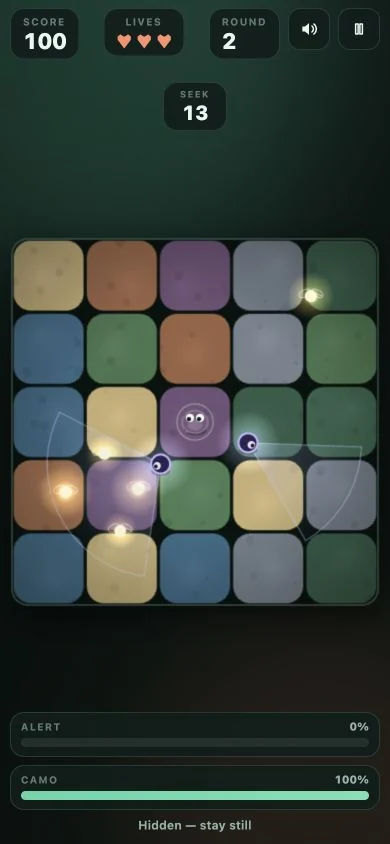
Open Mottle in your mobile browser.
Open the Mottle game page, select Play Mottle, and wait for the hosted game to appear. Then tap inside the game to begin. The page and the game are separate loading steps, so seeing our green cover does not mean the game has already started.
You need an internet connection to load the original game. There is no APK to install from this guide and no offline version included with the page. If you arrived looking for an app, read the download and APK explanation before choosing a similarly named product.
Use one finger to move, then lift it.
Use the opening Hide countdown to look around; begin moving when Seek starts. Start your drag inside the play field. Move a short distance with one finger, lift it, and watch the character settle against the ground. Your first goal is to recognise the difference between moving and standing still before attempting a long trip toward a firefly.
Keep an eye on both the character and the Camo and Alert meters. Your finger can cover part of a small screen, so choose a nearby stopping point while you can still see it. The controls guide walks through the same movement sequence; the rules page explains what the meters mean.
Give the play field enough room.
Try Expand in the toolbar above the game. It enlarges the game area within this page and provides a visible way to exit. Fullscreen is a separate control and depends on browser support. Neither control changes the game rules or makes a difficult route safer.
Choose a comfortable orientation before beginning your run, then check where the play field and controls sit. Avoid starting a game move on the surrounding article or navigation; that area belongs to the page, not the character controls. Use the in-game pause button for a break, and see the pause recovery answer if Resume does not respond.
What if the game will not load?
Check the connection, then try Reload game above the play field. Treat reloading as starting the game again rather than a way to preserve an active run. Open original gives you another route to the same hosted game if the embedded view is not working.
If both routes fail on your device, try another browser you already use. This guide cannot change the host’s availability or device support. You can still read the movement and timing tips while you work out whether the game runs comfortably on your phone.
How can I share Mottle from my phone?
Open Share your game, then select X, Facebook or Copy link. The social buttons open a post composer with the game link; you choose what to say and whether to publish. Copy link lets you send the same game address in a message.
To include a picture on your phone, take a screenshot with the device’s controls and attach it directly to your X or Facebook post. Browser capture may be unavailable on mobile. On a supported browser, Capture screenshot lets you choose the Mottle tab, review one captured image, then save it or use Share image when available.